
Appearance
Spellcheck
Typora underlines misspelled words as you type, with Spell Check on in Settings ▸ Writing ▸ Spelling (the default).
Fixing a word
Right-click a misspelled word for up to eight suggestions, then Learn Spelling and Ignore Spelling.
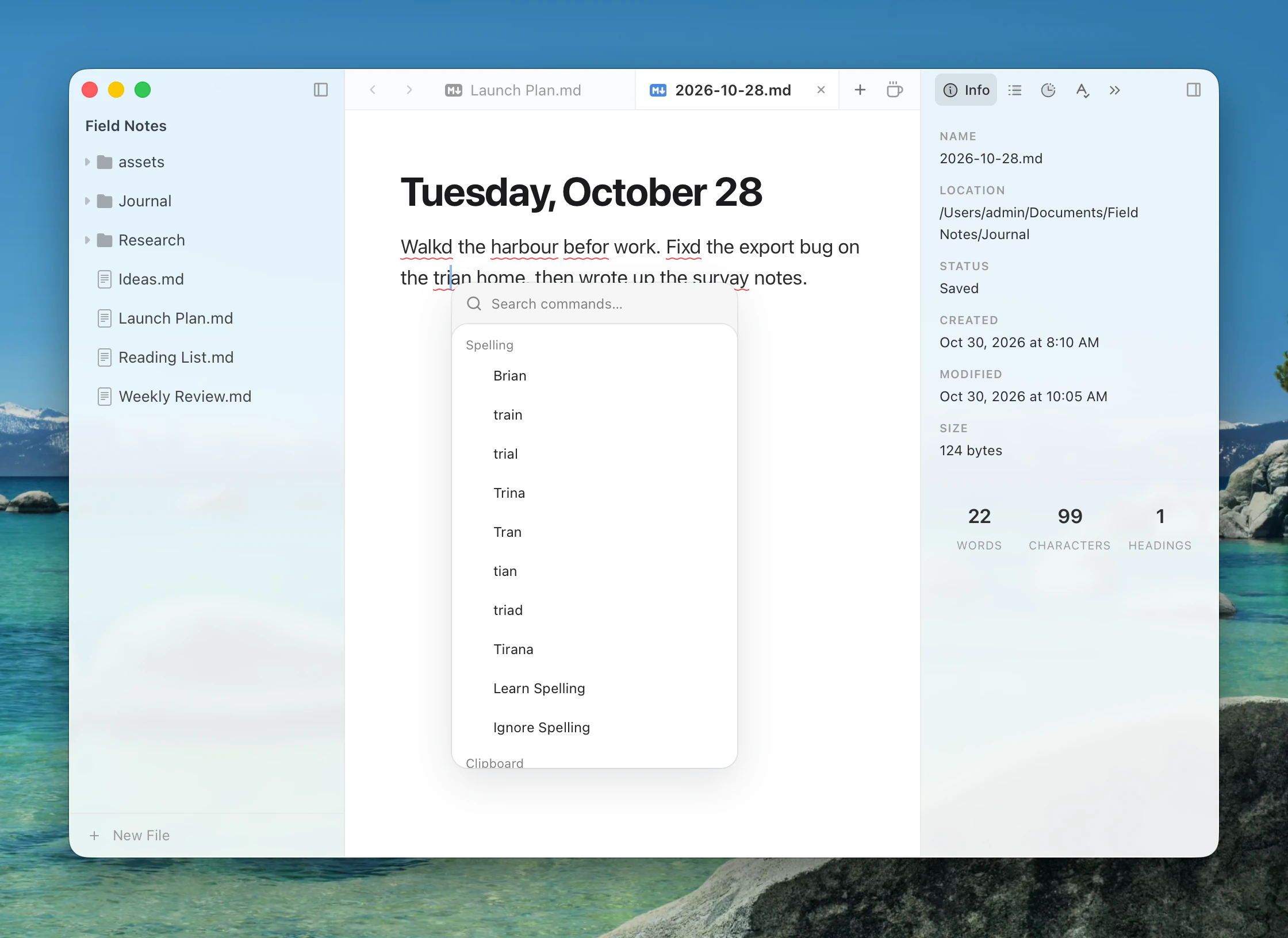
- Learn Spelling adds the word to your dictionary.
- Ignore Spelling skips the word in this document until it is reloaded.
Correct Spelling Automatically (off) fixes completed words as you type; undo restores the original.
The Spelling tab
The Spelling tab lists every misspelled word in the document. Edit ▸ Spelling has Check Document Now, Check Spelling While Typing, Correct Spelling Automatically and Spelling Settings….
Languages
Default Spellchecker Language sets the language for all documents. Auto uses language detection on macOS and your preferred system dictionary on Windows. There is no per-document language.
macOS
Typora uses the system spell checker. Learned words go in your macOS user dictionary.
Windows
Typora uses the Windows spelling service. To add a language, install its language pack in Windows Settings. Learned words go in your Windows user dictionary.
Linux
Linux has no system spell checker, so Typora uses Hunspell dictionaries from language packs. Install English from the extension store for US and UK English. Learned words are kept with the pack.
Flow Mode
Flow Mode turns spell checking off while you write, unless you change that in Settings ▸ Writing ▸ Flow Mode.