
Appearance
HTML
Markdown can contain HTML, and Typora renders it in the document.
Inline HTML
Tags such as <kbd>, <sub>, <sup>, <mark>, <u> and <span> render inline, along with HTML entities such as ¼:
html
Press <kbd>Esc</kbd>, then <span style="color:red">read this</span>.HTML blocks
A block-level tag starts an HTML block, which ends at a blank line. Click it to edit the source. Markdown inside containers such as <div> and <details> still renders.
html
<details>
<summary>Release notes</summary>

- Faster startup
- Fewer crashes

</details>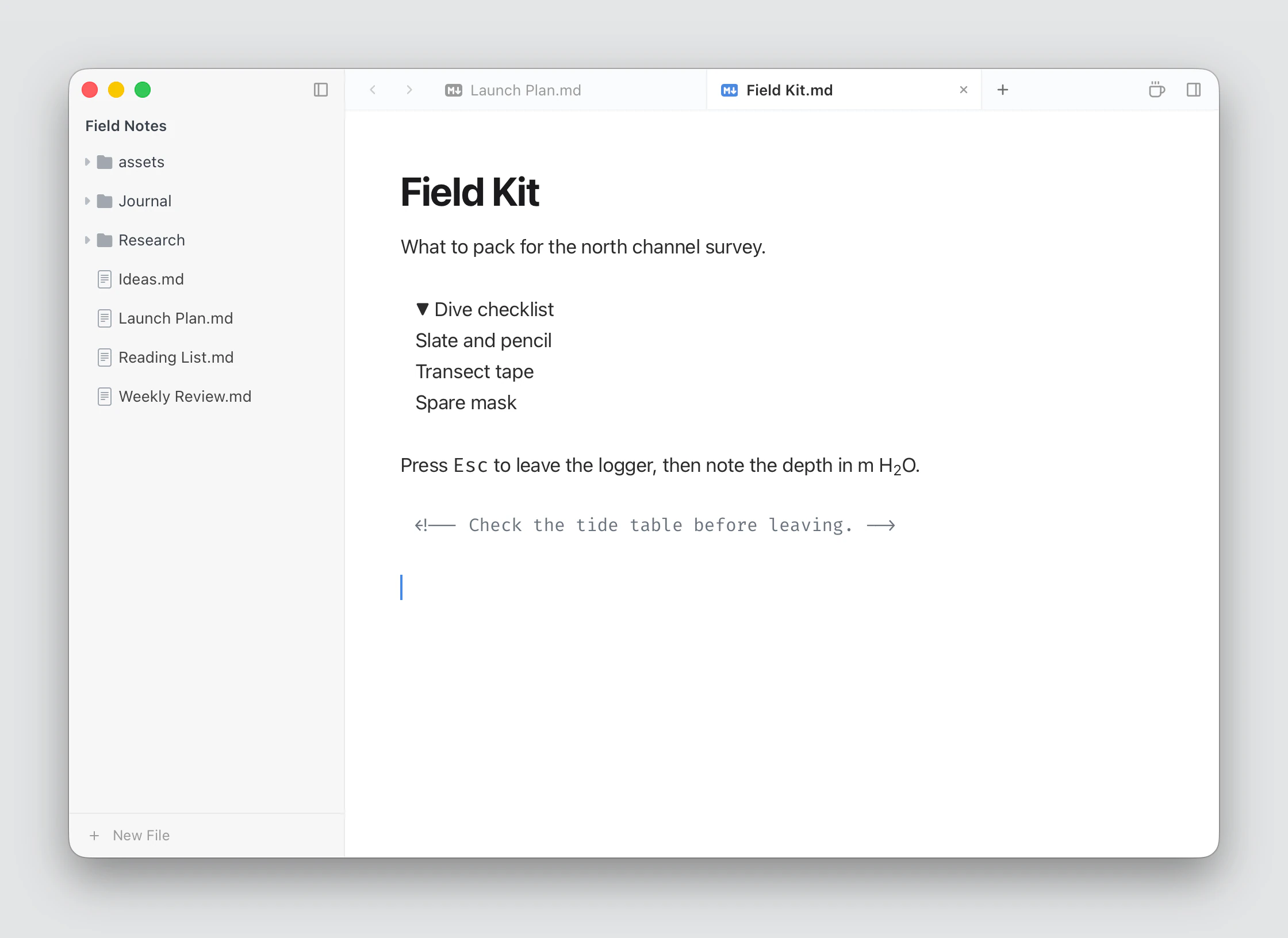
Video, audio and embeds
html
<video src="assets/demo.mp4" controls></video>
<audio src="assets/note.mp3" controls></audio>
<iframe src="https://example.com/embed" height="400"></iframe>
Right-click and choose Insert Media… to add video or audio. Dropping a media file inserts it too. Paths follow the same rules as images; videos stay where they are rather than being copied.
An <iframe> runs its page in a sandbox.
What's removed
To keep documents safe to open, Typora's preview leaves out:
<script>,<style>,<link>,<meta>,<object>and<embed>.- Event attributes such as
onclick. url()andposition: fixedorabsoluteinstyleattributes.
The tags stay in your Markdown; they just don't run in the editor.
Comments
<!-- A note --> shows dimmed in the editor, and doesn't appear on exported pages. To keep a note out of every export entirely, use %%…%%.