
Appearance
Math
Typora typesets LaTeX with MathJax 4.
Math blocks
Type $$ and press Enter, or use Math Block in the / menu (Ctrl+Shift+M).
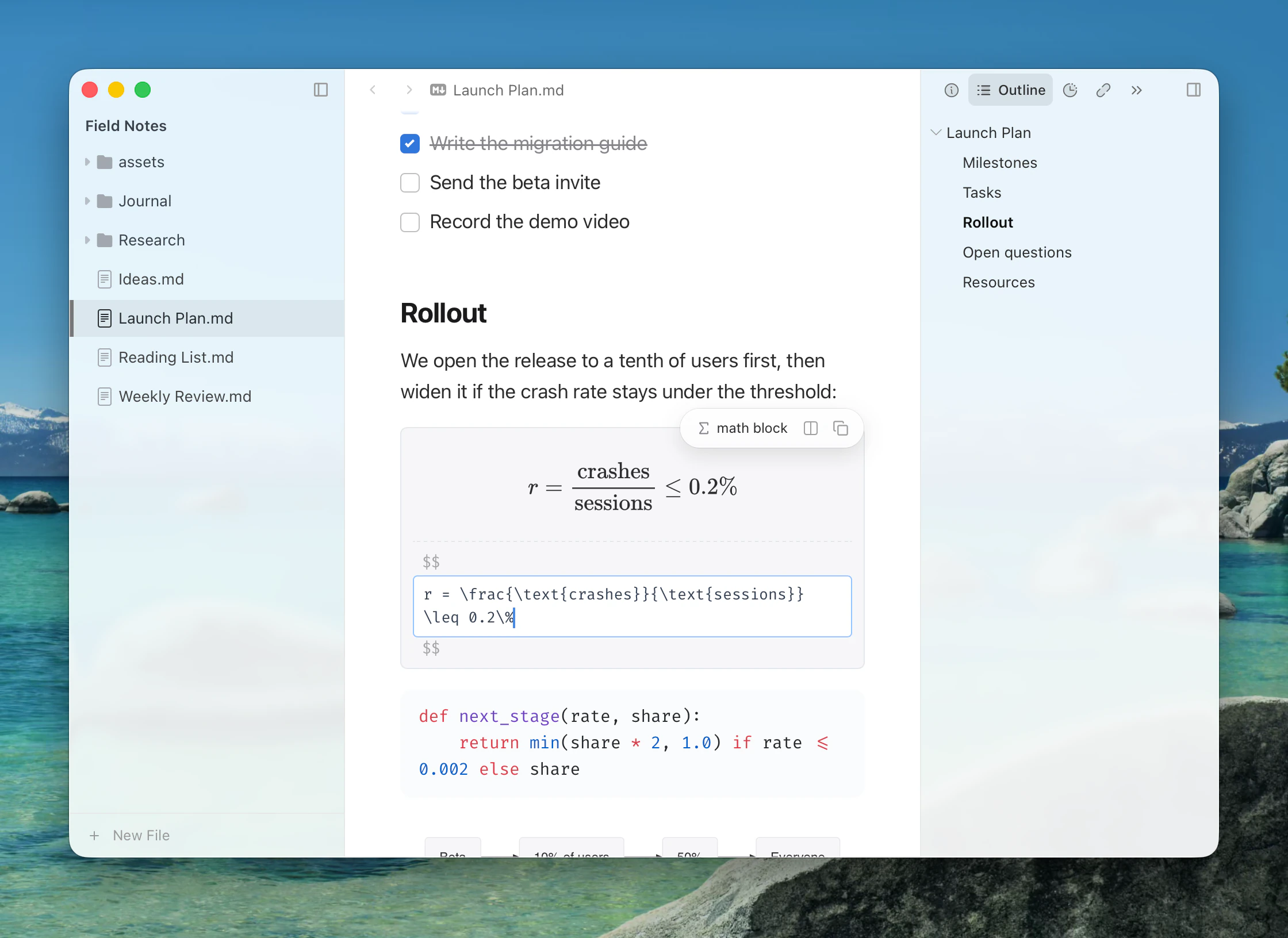
The preview updates as you type, and \ autocompletes TeX commands. Press Mod+Enter to leave the block.
A fenced code block with the language math also renders as a math block, with Code Block Math on.
Inline math
Write $E = mc^2$, with Inline Math on (the default). The preview floats beside it while you edit. \(…\) and \[…\] work too with LaTeX Math Delimiters. Use Legacy Inline Math Parsing keeps the older, more permissive rules for $.
Numbering and references
Settings ▸ Markdown ▸ Math ▸ Auto Numbering is:
- Do not number equations
- AMS rules (default), which numbers environments such as
equationandalign - Number all displayed equations
Set your own number with \tag{}. Name an equation with \label{} and refer to it with \ref{}:
latex
$$
\begin{equation}
E = mc^2 \label{energy}
\end{equation}
$$

See equation $\ref{energy}$.
Cross-references such as @eq:energy are also available, for documents that go through Pandoc.
Chemistry and physics
mhchem is always on:
latex
$$\ce{CO2 + C -> 2 CO}$$Enable physics Package turns on the physics extension. Other MathJax extensions load when a formula uses them.
Macros
\newcommand and \def in a document apply to that document. TeX Macros in Settings ▸ Markdown ▸ Math holds macros for every document, one per line. Extensions can add macros, and fonts and TeX packages. Math Font sets the font equations are drawn in.
Refreshing
Edit ▸ Math Tools ▸ Refresh All Math Expressions re-renders every formula.
Exporting
Math exports as SVG. When Copying or Exporting as Unstyled HTML can keep the LaTeX source instead.